


Google has decided to make everyone's day better. On the first day of MWC 2024, the company announced a bunch of new features for both Android and Wear OS. Some of the features are already rolling out to the users, while others will be a part of the ecosystem in the near future. Simply put, Google has made several new accessibility updates as well as quality-of-life improvements that will make your experience with the OS better.
Android and Wear OS have become even more intuitive thanks to a bunch of new AI-related features and other features from Google
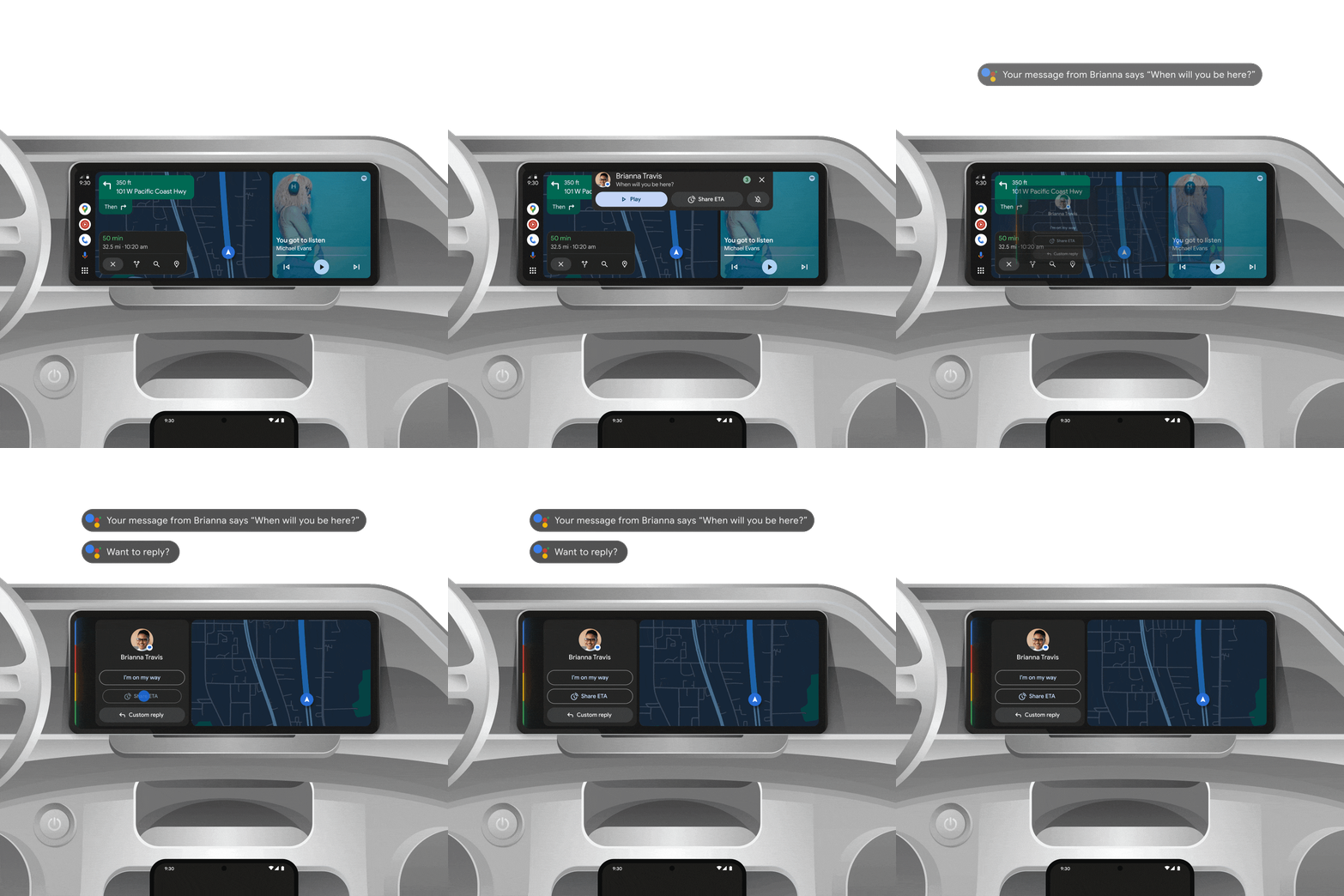
To kick off this feature list, we are going to look at the introduction of AI to Android Auto. The OS will now be able to summarize long texts or busy group chats while you are driving. It will also suggest the relevant replies and actions. You can simply tap once to send a message and even share your estimated time of arrival or start a call.
Moving forward, with image captions in Lookout on Android, you will be able to listen to auto-generated AI descriptions of photos stored locally, online images, and pictures that are included in messages. This feature is now rolling out globally in English and has been designed with blind and low-vision communities.
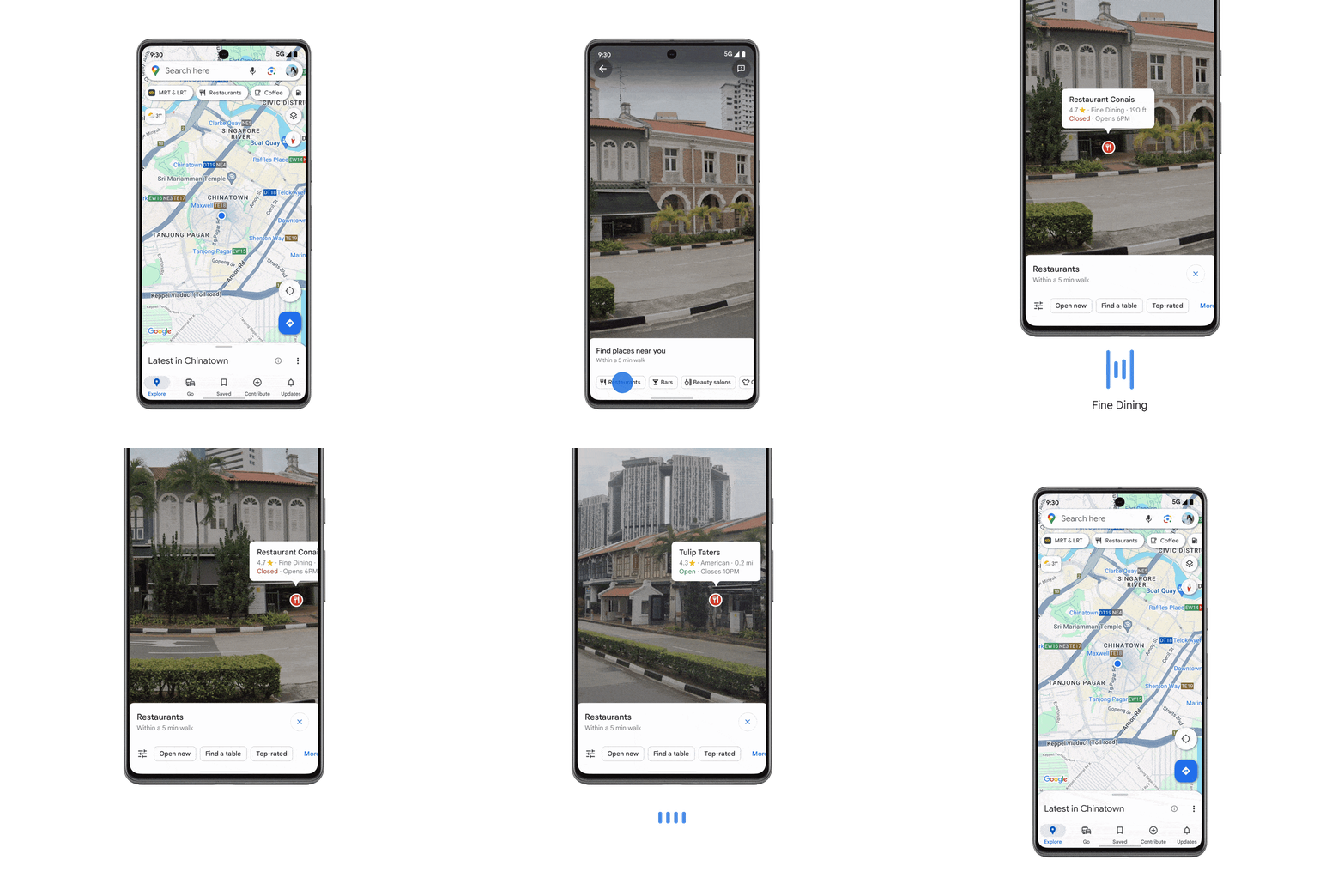
Google Maps on Android is getting a new feature in the form of enhanced screen reader support for Lens in Maps. This will help you explore nearby and identify places like transit stations, ATMs, as well as restaurants. You will be able to point your phone's camera at your surroundings, and TalkBack will take charge of reading the place's information out loud. The information read out loud will be like business hours, ratings, and even directions on how to get there.
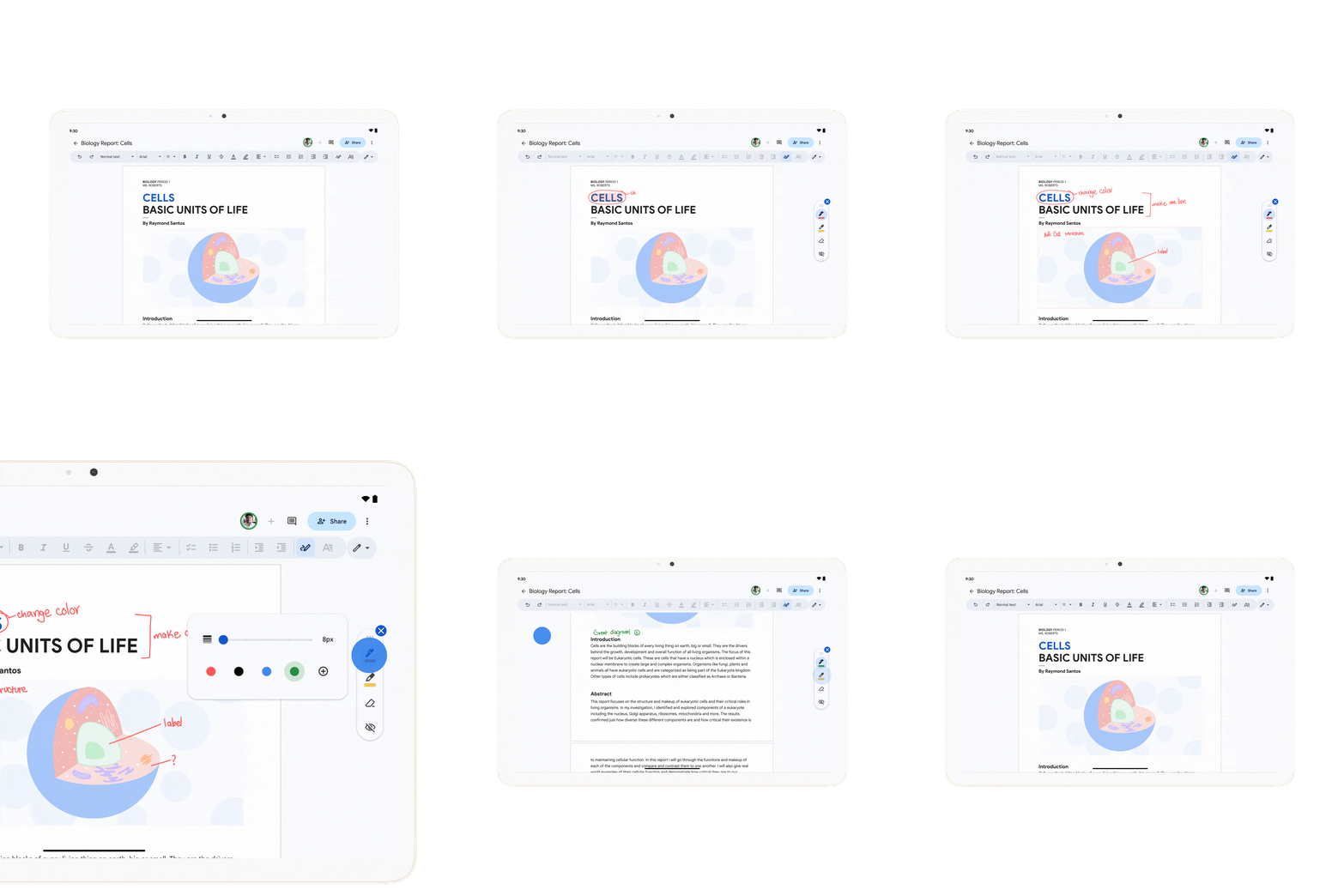
With the new features for Android, Google is also showing some love to Docs. With Google Docs markups, users will now be able to add handwritten annotations to Docs from their devices. You just have to use your finger or stylus to get the job done. You will have a selection of markup tools to choose from, like various pen colors, highlighters, and more. Google is making the process of reviewing documents and providing feedback fast, flexible, and easy for everyone.
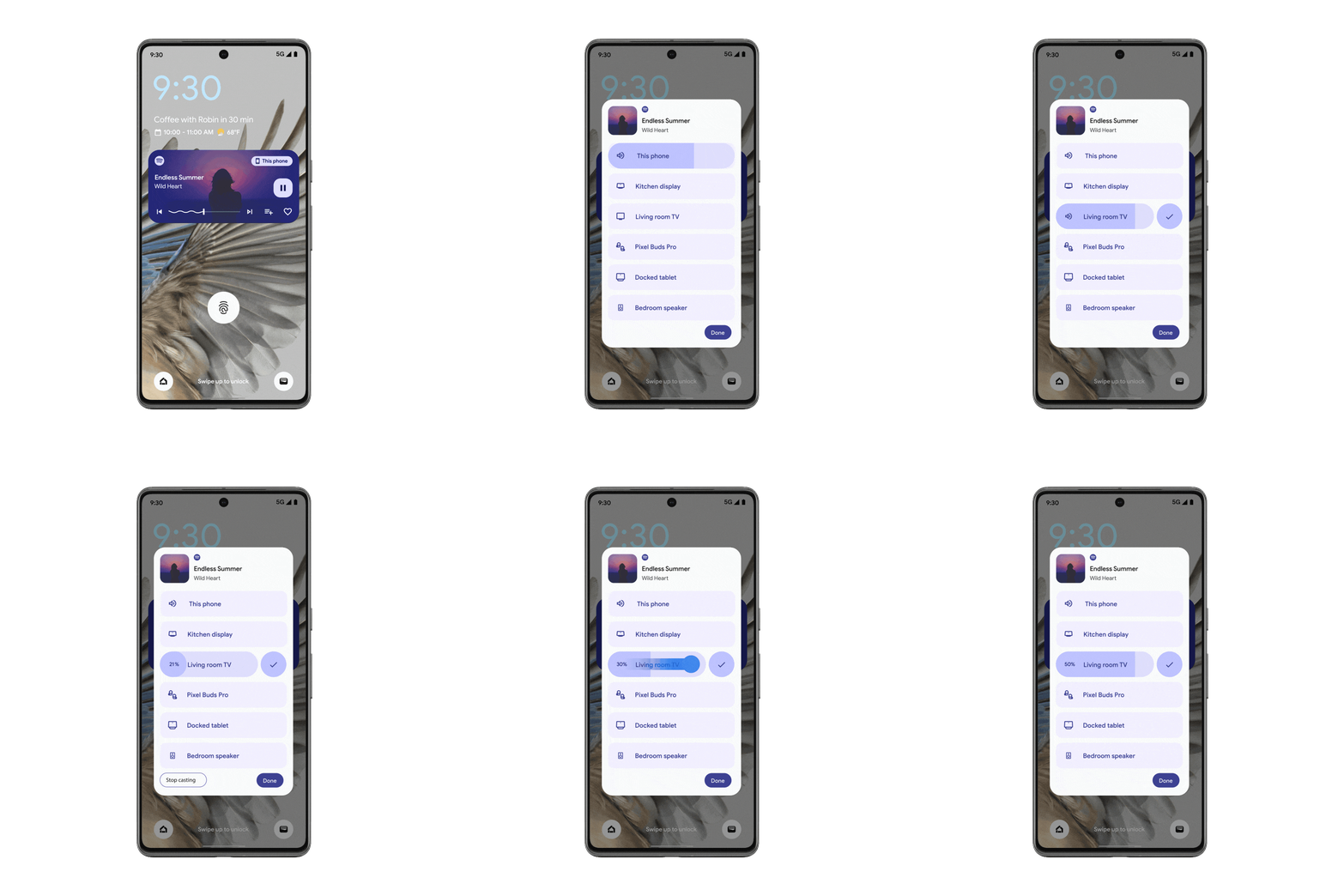
Android already has a very handy output switcher that makes it easy to switch between your devices when you are playing YouTube Music. Now, you can do the same with Spotify. The output switcher on Android is now going to show you Spotify Connect devices, making it easier for you to go through the devices that you have connected.
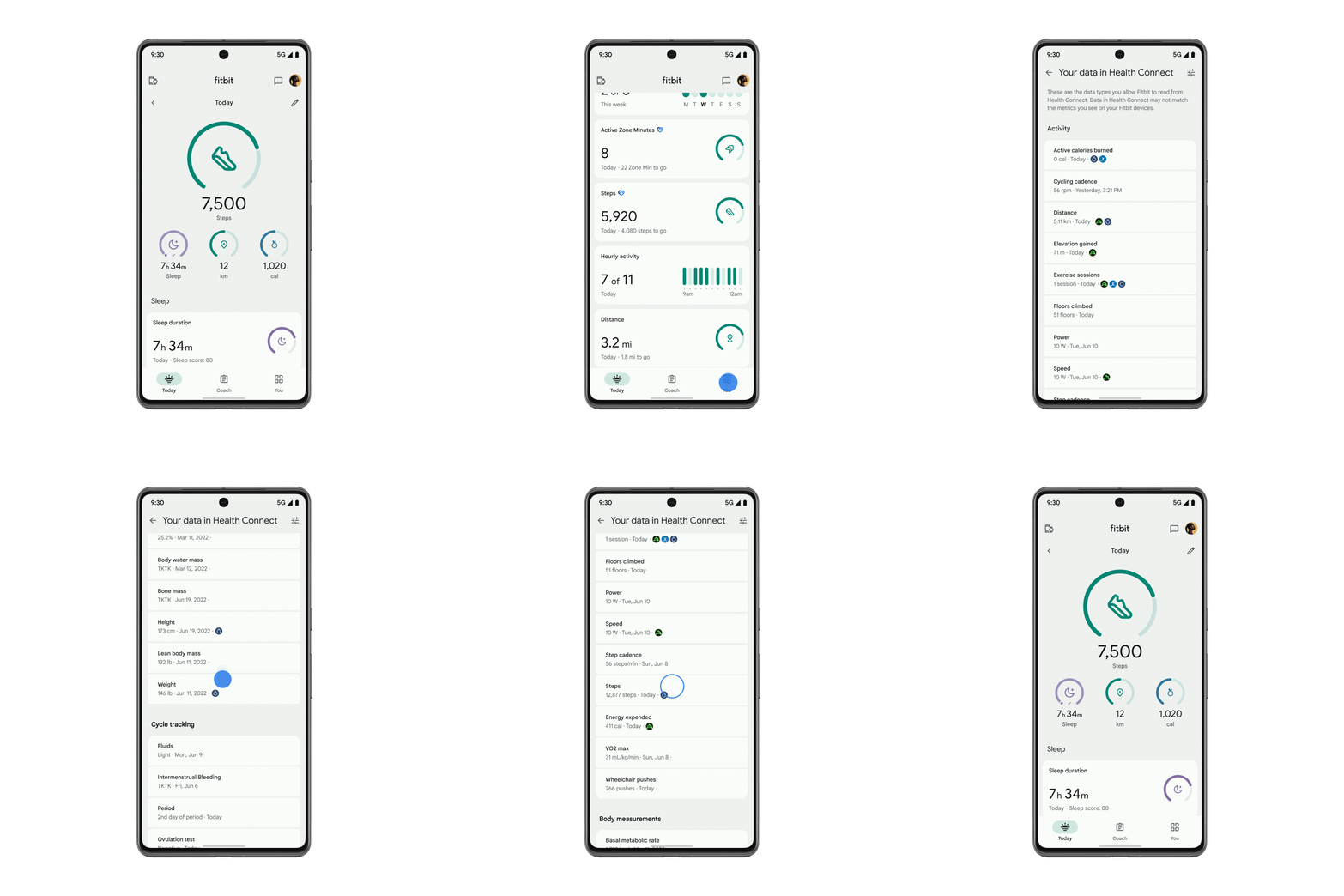
Another feature that is coming to Android is a redesigned Fitbit app through Health Connect. You will be able to view your health, fitness, and wellness data in a single place. You can just head to the You tab and see data from all the connected apps next to your Fitbit data. In addition to that, the Today tab will show you data like exercises, steps, calories burned, floors climbed, and distance traveled from apps that are compatible with Health Connect.


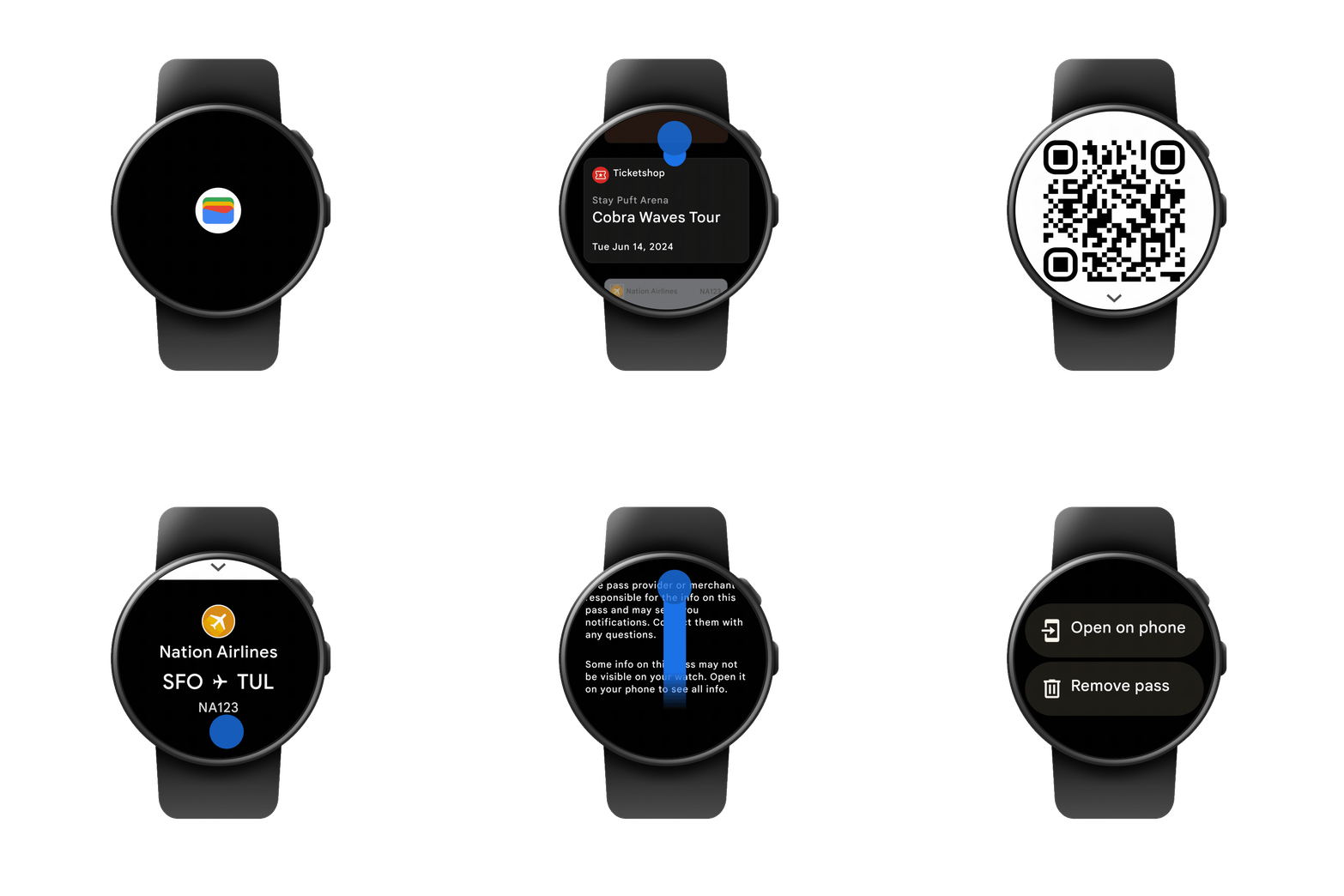
Moving away from Android and switching to Wear OS, the good news is that you can now see your Google Wallet passes on your Wear OS watches. The watch will be able to show you boarding passes, event tickets, gym memberships, loyalty cards, and more on your wrist. You can even choose which passes you want to show and which passes you want to hide.
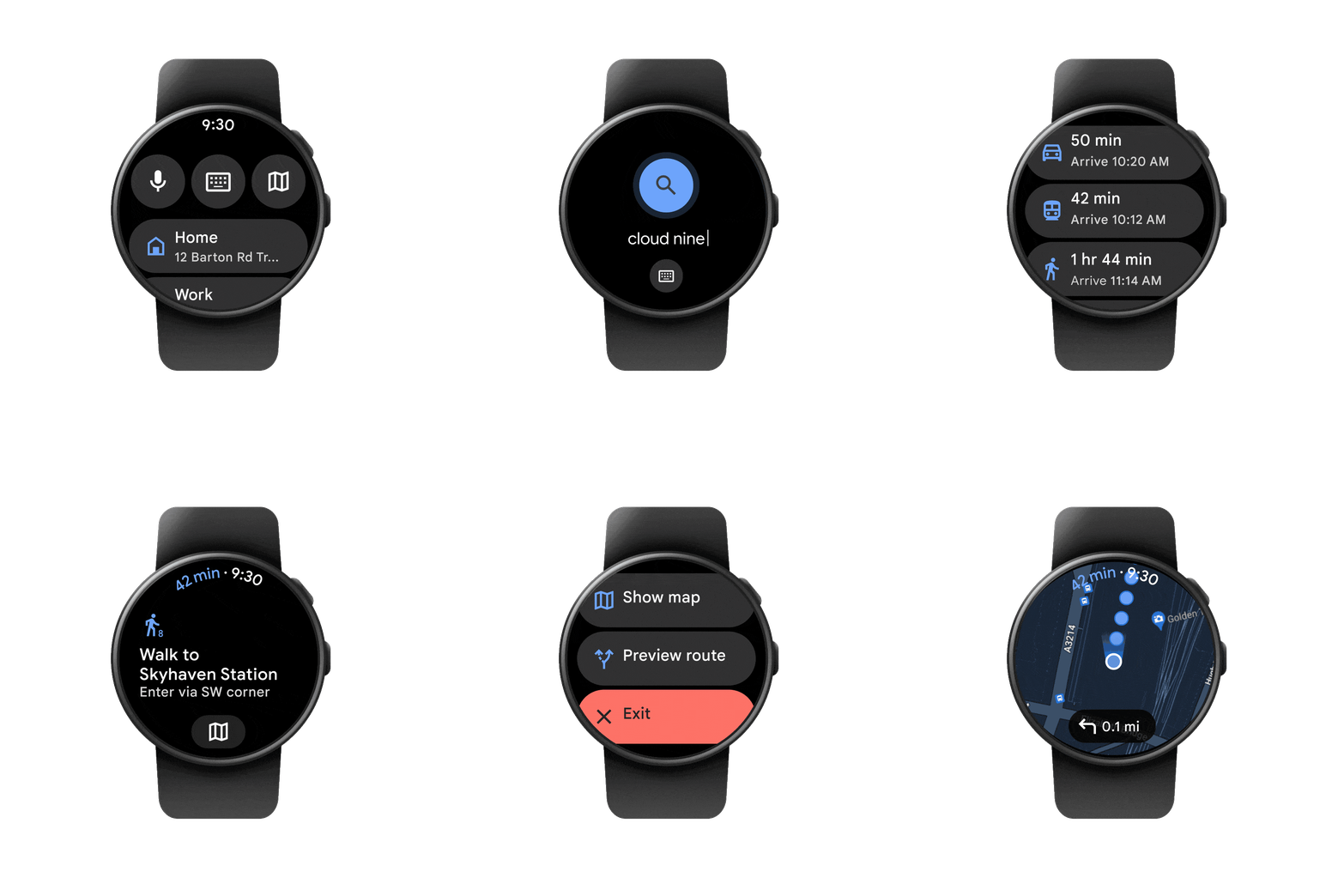
Another feature that is coming to Wear OS from Android is the ability to get transit directions with a quick glance at your wrist. You can just leave your phone in your pocket and look at your wrist to make sure that you are heading in the right direction and that you are able to catch your bus, train, or ferry. You will even be able to look up departure times right from your smartwatch and get compass-guided navigation, making the whole process a lot easier. You can even mirror directions to your watch and navigate hands-free if you want.
Last but not least, Google Messages on Android is now getting the ability to chat with Gemini right inside the app. The feature is going to roll out this week, will be in the beta stage, and will only be available in English at the time of its launch. You will be able to draft messages, brainstorm ideas, plan events, and even talk to the AI chatbot for the sake of having a fun, interesting conversation.

I am honestly really glad that Google has decided to announce all these features for Android and Wear OS. The company is constantly trying to make the user experience better, and this is a great way of making sure that the company sticks to its plans of making its software better and more user-friendly for everyone.
News Source: Google Blog

About the author: I have been tinkering with Android devices ever since the early days of the HTC Desire. Over time, I have grown a fondness for the ecosystem and now I cannot live without it. Although some might believe that I have sold my soul to Android, but I believe it is not the case. You can find me writing tutorials and posting guides on a number of different smartphones. When I am not writing here, I am wasting myself away in books, journals, or on Steam.
Follow Wccftech on Google to get more of our news coverage in your feeds.


