

ASRock Z390 Taichi Ultimate Motherboard - Unboxing
Intel has come a long way with their mainstream processor platform. The platform has largely seen stagnation in terms of core and thread count over many generations since the first Core series CPU that launched back in 2010 but last year brought a big change to the CPU giant. What seemed to be a generational core clock bump has now turned into a generational core count bump while keeping the clock speed improvements.
The Coffee Lake-S 8th Generation family, was the first big core count jump on the mainstream 300 series platform. It was an opportunity for Intel to show that they don't only hold the IPC or clock speed advantage on the mainstream segment but they can also offer good multi-threading CPU performance. While the jump to 6 cores and 12 threads was great, the competition was offering up to 8 cores and 16 threads on their mainstream platform.

Intel is now unleashing their own 8 core parts with their new 9th Generation lineup, also known as the Coffee Lake Refresh. The interesting part is that while there is the famous Core i7 SKU with 8 cores, they are also launching their first mainstream Core i9 part with 8 cores. Both parts are very interesting in their own right and the price to performance difference is something which gamers have been looking forward to, especially when Intel is terming the Core i9 SKU as the best gaming processor on the planet, which is something I'd extensively be looking into in the performance benchmarks.

Today, I will be taking a look at the Core i9-9900K flagship CPU on the ASRock Z390 Taich Ultimate. The CPU retails for $488 US in the market and is supposed to offer high-end CPU multi-threaded performance with enthusiast level overclocking capabilities, all at a premium price point. The Z390 Taichi Ultimate retails for $299.99 US and is considered a premium offering in this price range.
Intel Z390 Express Chipset - The Top 300-Series PCH
Since the launch of Coffee Lake processors, Intel is also offering a new platform that is marked under the 300-series family. The Intel 300 series platform features several chipset SKUs but the top of the line is the Z390 PCH which replaces the Z370 PCH as the flagship mainstream SKU.
The Z390 platform is designed to support both 8th and 9th Generation Coffee Lake CPUs. Since the new processors are part of a refresh, Intel did not restrict 9th Gen compatibility to just Z390 boards or 8th Gen compatibility to just Z370 boards. We have more details on this in the LGA 1151 socket section so here, we will be taking a look at the Z390 feature set and what it offers over the previous 200 and 100 series platforms.

Intel Z390 PCH Features:
The 9th gen desktop platform has a range of new features that mainly include:
- First performance Intel Core i9 desktop S-series processor
- Up to 8 cores
- Intel Z390 chipset compatible
- Solder Thermal Interface Material (STIM)
- Intel Wireless-AC 802.11 AC and Bluetooth 5.0
- Intel Wireless-AC Adapter
- Up To 6 x USB 3.1 Gen 2 Ports
- Up to 16 threads, 5.0 GHz, 16 MB cache, and 40 platform PCIe lanes (16 CPU + 24 PCH)
- 9th Gen CPUs Compatible with all Intel 300 series chipsets
- Intel Optane memory and Intel Optane SSD support
- Thunderbolt 3 support
Intel Desktop Platform Chipset Comparison
| Chipset Name | Arrow Lake-S (ARL-S) PCH / 800 Series (Z890) | Raptor Lake-S (RPL-S) PCH / 700 Series (Z790) | Alder Lake-S (ADL-S) PCH / 600 Series (Z690) | Rocket Lake-S (RKL-S) PCH / 500 Series (Z590) | Comet Lake-S (CML-S) PCH / 400 Series (Z490) | Coffee Lake S (CFL-S) PCH / 300 Series (Z390/H370, B360, Q370, H310) | Coffee Lake S (KBL-R) PCH / Z370 Platform |
|---|---|---|---|---|---|---|---|
| Process Node | 7nm | 14nm | 14nm | 14nm | 14nm | 14nm | 22nm |
| Processor | 24C, 20C, 14C, 12C, TBD) | 24,16C,12C,10C,6C,4C | 16C,12C,10C,6C,4C (Full corporate/consumer SKU stack at launch) | 8C, 6C (Full corporate/consumer SKU stack at launch) | 10C, 8C, 6C, 4C, 2C (Full corporate/consumer SKU stack at launch) | 8C, 6C, 4C, 2C (Full corporate/consumer SKU stack at launch) | 8C, 6C, 4C (6 Consumer SKUs at Launch) |
| Memory | Up To DDR5-6400 (Native) | Up To DDR5-5600 (Native) Up To DDR4-3200 (Native) | Up To DDR5-4800 (Native) Up To DDR4-3200 (Native) | Up To DDR4-3200 (Native) | Up To DDR4-2933 (Native) | Up To DDR4-2666 (Native) | Up To DDR4-2666 (Native) |
| Media, Display & Audio | eDP / 4DDI (DP, HDMI) Display Capabilities | eDP / 4DDI (DP, HDMI) Display Capabilities | eDP / 4DDI (DP, HDMI) Display Capabilities | DP 1.2 & HDMI 2.0, HBR3 HDCP 2.2 (HDMI 2.0a w/LSPCON) 12-bit AV1/HEVC & VP9 10-bit Enc/Dec, HDR, Rec.2020, DX12 Integrated Dual-Core Audio DSP With USB Audio offload SoundWire Digital Audio Interface | DP 1.2 & HDMI 1.4 HDCP 2.2 (HDMI 2.0a w/LSPCON) HEVC & VP9 10-bit Enc/Dec, HDR, Rec.2020, DX12 Integrated Dual-Core Audio DSP SoundWire Digital Audio Interface | DP 1.2 & HDMI 1.4 HDCP 2.2 (HDMI 2.0a w/LSPCON) HEVC & VP9 10-bit Enc/Dec, HDR, Rec.2020, DX12 Integrated Dual-Core Audio DSP SoundWire Digital Audio Interface | DP 1.2 & HDMI 1.4 HDCP 2.2 (HDMI 2.0a w/LSPCON) HEVC & VP9 10-bit Enc/Dec, HDR, Rec.2020, DX12 Integrated Dual-Core Audio DSP |
| I/O & Connectivity | Integrated USB 3.2 Gen 2x2 (20G) Integrated Intel Wireless-AC (Wi-Fi6E/ 7 BT CNVio) with Gig+ Integrated SDXC 4.0 Controller Thunderbolt 4.0 | Integrated USB 3.2 Gen 2x2 (20G) Integrated Intel Wireless-AC (Wi-Fi6E/ 7 BT CNVio) with Gig+ Integrated SDXC 4.0 Controller Thunderbolt 4.0 | Integrated USB 3.2 Gen 2x2 (20G) Integrated Intel Wireless-AC (Wi-Fi6E/ 7 BT CNVio) with Gig+ Integrated SDXC 4.0 Controller Thunderbolt 4.0 | Integrated USB 3.2 Gen 2x2 (20G) Integrated Intel Wireless-AC (Wi-Fi6E/ BT CNVi) Integrated SDXC 3.0 Controller Thunderbolt 4.0 (Maple Ridge) | Integrated USB 3.2 Gen 2 Integrated Intel Wireless-AC (Wi-Fi / BT CNVi) Integrated SDXC 3.0 Controller Thunderbolt 3.0 (Titan Ridge) w/ DP 1.4 | Integrated USB 3.1 Gen 1 (5 Gbps) Integrated Intel Wireless-AC (Wi-Fi / BT CNVi) Integrated SDXC 3.0 Controller Thunderbolt 3.0 (Titan Ridge) w/ DP 1.4 | Integrated USB 3.1 Gen 1 (5 Gbps) Thunderbolt 3.0 (Alpine Ridge) |
| Storage | PCIe 5.0 (CPU Lanes), 8x SATA 3.0 | Next-Gen Intel Optane memory PCIe 5.0 (CPU Lanes), 6x SATA 3.0 | Next-Gen Intel Optane memory PCIe 5.0, 6x SATA 3.0 | Next-Gen Intel Optane memory PCIe 4.0, 6x SATA 3.0 | Next-Gen Intel Optane memory PCIe 3.0, 6x SATA 3.0 | Next Gen Intel Optane memory PCIe 3.0, 6x SATA 3.0 | Next Gen Intel Optane memory PCIe 3.0, 6x SATA 3.0 |
| Max PCH PCIe Lanes | Up To 24 (Gen 4) | Up To 20 (Gen 4) Up To 8 (Gen 3) | Up To 12 (Gen 4) Up To 16 (Gen 3) | Up To 24 (Gen 3) | Up To 24 (Gen 3) | Up To 24 (Gen 3) | Up To 24 (Gen 3) |
| Max CPU PCIe Lanes | Up To 20 (Gen 5) Up To 4 (Gen 4) | Up To 16 (Gen 5) Up To 4 (Gen 4) | Up To 16 (Gen 5) Up To 4 (Gen 4) | Up To 20 (Gen 4) | Up To 16 (Gen 3) | Up To 16 (Gen 3) | Up To 16 (Gen 3) |
| Max USB Ports | Up To 5 (USB 3.2 Gen 2z2) Up To 10 (USB 3.2 Gen 2x1) Up To 10 (USB 3.2 Gen 1x1) Up To 14 (USB 2.0) | Up To 5 (USB 3.2 Gen 2x2) Up To 10 (USB 3.2 Gen 2x1) Up To 10 (USB 3.2 Gen 1x1) Up To 14 (USB 2.0) | Up To 4 (USB 3.2 Gen 2x2) Up To 10 (USB 3.2 Gen 2x1) Up To 10 (USB 3.2 Gen 1x1) Up To 14 (USB 2.0) | Up To 3 (USB 3.2 Gen 2x2) Up To 10 (USB 3.2 Gen 2x1) Up To 10 (USB 3.2 Gen 1x1) Up To 14 (USB 2.0) | Up To 10 (USB 3.2) Up To 14 (USB 2.0) | Up To 10 (USB 3.1) Up To 14 (USB 2.0) | Up To 10 (USB 3.0) Up To 14 (USB 2.0) |
| Security | Intel TET Intel Boot Guard | N/A | N/A | N/A | Intel SGX 1.0 | Intel SGX 1.0 | Intel SGX 1.0 |
| Power Management | C10 & S0ix Support for Modern Standby | C10 & S0ix Support for Modern Standby | C10 & S0ix Support for Modern Standby | C10 & S0ix Support for Modern Standby | C10 & S0ix Support for Modern Standby | C10 & S0ix Support for Modern Standby | C8 Support |
| Launch | 2024 | 2022 | 2021 | 2021 | 2019 | 2018 | 2017 |
Intel LGA 1151 Socket Again - Now With 9th Generation Processor Support
Intel isn't moving away from the LGA 1151 socket anytime soon. We are once again looking at the same socket which has been doing the rounds in the mainstream market since 2015. There is, however, a major difference. There's no backward compatibility with Skylake and Kaby Lake processors.
That brings us to the next significant detail about the Intel 300-series platform. Intel is confirming that the 9th Gen Coffee Lake processors retain compatibility with the 300-series chipset. It's nice to see compatibility retained but it was also expected since 9th Gen is a refresh of Coffee Lake CPUs and high-end motherboards based on the Z370 chipset still allow for full overclocking support on the 8 core processors, even though the Z390 series is tailored around those CPUs with better PWM supplies.

A more detailed analysis was posted by David Schor a few days ago which confirms the change in pin configuration on Coffee Lake processors. This allows support for both 8th and 9th Gen CPUs without any major issues.
According to David, the reason we don't have Coffee Lake processors compatible with older series motherboards that feature the LGA 1151 socket is the change in pins. For instance, if the pin config changes on a processor, the sockets on the motherboard need to be configured as such. It's not a process that can be done via software as its more of a hardware level change.

When compared, the Coffee Lake processors have 391 VSS (Ground) pins which is an increase of 14 compared to Kaby Lake, 146 VCC (Electrical) pins which is an increase of 18 pins compared to Kaby Lake and about 25 pins that are reserved and a decrease of 21 pins from the 46 reserved on Kaby Lake.
Kaby Lake -> Coffee Lake
- VSS (Ground): 377 -> 391 (+14)
- VCC (Power): 128 -> 146 (+18)
- RSVD: 46 ->25
Intel LGA 1151 CPU Pin Configuration (Coffee Lake vs Kaby Lake):


So one thing is clear, Intel was, in fact, telling the truth about electrical changes to the processors and socket in the 300-series platform. Furthermore, it's not just the reserved pins from Kaby Lake that have simply been populated. There are pins aside the reserved ones that were swapped with VCC pins and indicate a design tweak.

While we can put many theories to rest with this new detail, I think much of the confusion could have just been avoided if Intel clarified this themselves. Of course, if you are making the boards with a new PCH and new series of processors on the same socket that ran the previous CPU line, consumers would definitely want to know more about why the new platform that has the same socket cannot support their older chips. We previously heard about the LGA 1151 V2 naming scheme and that may have sorted some confusion but as we can tell, all motherboards still use the LGA 1151 naming scheme which may lead to people thinking that their 6th and 7th generation processors can run on the newer boards.
Cooler Compatibility With LGA 1151 Socket
Keeping the same socket has some advantages in the form of cooler compatibility. All users who are running the LGA 1151 socket or even LGA 1150 boards can use the same cooler on the Z390 boards without any hassle. The socket has the same dimensions and no changes are made aside from electrical changes that are specific to socket and processor pins. The socket assembly and mounting remain the same.
Intel does offer a separate boxed cooler but it will be a much better choice to get an AIB cooling solution since those offer better cooling performance. It is recommended for the unlocked SKUs that users run them on a high-end air cooler or liquid cooling solution. Custom loop cooling will deliver even better results.
First of all, what is Coffee Lake? In simple terms, Coffee Lake is an improved Kaby Lake that has been made possible with the latest 14nm++ process node. Intel briefed the press that their new Coffee Lake Refresh is on the same architectural level as Kaby Lake (which is similar to Skylake) with no changes at all.
Aside from that, the new 14nm process allows for improved power efficiency and higher clock speeds. There's a reason that Intel is bumping up the core count across their entire range of processors. Under the same 95W package, Intel is now offering up to 8 cores and 16 threads on their Core i9 SKUs, 8 cores and 8 threads on their Core i7 SKUs, and 6 cores and 6 threads on their Core i5 SKUs.

Actual power consumption may vary during testing real-world applications since Intel lists the TDP at the base clock which means power consumption at boost clocks would vary so it's very workload dependent. You will also note that Intel has given a fairly good bump to both CPU and integrated GPU clock speeds which is only possible with the new and improved 14nm++ process.


Intel Coffee Lake CPUs Have 16 PCIe 3.0 Lanes, PCH Supports 24 PCIe 3.0 Lanes - These Make Up The 40 PCIe Platform Lanes
Now one thing you might have noticed in other articles is that they state the Intel Coffee Lake platform will feature 40 PCIe Lanes. That's true but not entirely an accurate representation. As you see, Intel does have 40 PCIe 3.0 lanes on their upcoming family but those are a combination of CPU and PCH lanes. All Coffee Lake CPUs feature 16 PCIe Gen 3.0 lanes while the Z390 PCH features 24 PCIe 3.0 lanes. These make up the 40 PCIe 3.0 lanes that Intel claims of.

This means that people can add in two GPUs for SLI or mGPU support which will be given to the CPU while PCH can allow for additional devices such as PCIe / M.2 storage or Intel Optane support.
The Intel 9th Gen, Unlocked Core Desktop Family Full Specifications and Prices
Intel is initially launching three "K" unlocked CPUs in the 9th Gen Core lineup. As of right now, the 9th Gen unlocked family consists of the Core i9-9900K, Core i7-9700K, and the Core i5-9600K. The processors retail for $488 US for the Core i9, $374 US for the Core i7 and $262 US for the Core i5 SKUs.

Following are the detailed specs for these CPUs:
Intel Core i9-9900K, Intel’s First 8 Core and 16 Thread Mainstream CPU With 4.7 GHz All 8 Core Boost Frequency For $488 US
The Intel Core i9-9900K is the flagship SKU of the 9th Generation Core family. This will be the first mainstream desktop Core i9 part and also the first Intel chip to boast 8 cores and 16 threads. In terms of cache, the chip will feature 16 MB of L3 and will come with an Intel UHD 620 graphics chip.
The clock speeds are something to check out here, we are going to get a 3.6 GHz base clock out of the box and a 5.0 GHz boost clock in single and dual core operations. 4 core boost is rated at 4.8 GHz while 6/8 core boost is rated at 4.7 GHz. This is the highest frequency we have seen on an 8 core part across all cores. All of this is done under a 95W package so we can expect some hefty cooling solutions to go along with this chip.
Intel Core i7-9700K, Intel’s First 8 Core, Core i7 Mainstream Desktop CPU With Up To 4.6 GHz Clocks Across All Cores at $374 US
Coming to the top Core i7 part, we get 8 cores and 8 threads. This the complete opposite of what we have been hearing as previous rumors identified the chip as a 6 core and 12 thread part. The chip will have 12 MB of L3 cache and as you might tell, it has fewer threads than the Core i7-8700K but comes with a higher core count. So, maybe, we will get the same or even better performance from the chip.
In terms of clock speeds, the chip has a base clock of 3.6 GHz and boosts up to 4.9 GHz in single, 4.8 GHz in dual-core, 4.7 GHz in four core and 4.6 GHz in 6/8 core operations. The TDP for this part is maintained at the same 95W.
Intel Core i5-9600K, 6 Cores, and 6 Threads With Higher Clocks Than 8th Generation i5 ‘K” SKU, $262 US Official Price
The Intel Core i5-9600K is a 6 core and 6 thread part with 9 MB of L3 cache. This makes it very similar to the Core i5-8600K. The difference is that it features higher clock speeds of 3.7 GHz base, 4.6 GHz boost (1 core), 4.5 GHz (2 core), 4.4 GHz (4 core) and 4.3 GHz (6 core). All of this is done at the same TDP of 95W.
Intel 9th Generation Core Family CPU Official Specifications:
| Processor Name | Process | Cores / Threads | Base Clock | Boost Clock | Cache | TDP | Price |
|---|---|---|---|---|---|---|---|
| Core i9-9900KS | 14nm++ | 8 / 16 | 3.6 GHz | 5.0 GHz (8 Cores) | 16 MB | 127W | $513 US |
| Core i9-9900K | 14nm++ | 8 / 16 | 3.6 GHz | 5.0 GHz | 16 MB | 95W | $488 US |
| Core i9-9900KF | 14nm++ | 8 / 16 | 3.6 GHz | 5.0 GHz | 16 MB | 95W | $488 US |
| Core i7-9700K | 14nm++ | 8 / 8 | 3.6 GHz | 4.9 GHz | 12 MB | 95W | $374 US |
| Core i7-9700KF | 14nm++ | 8 / 8 | 3.6 GHz | 4.9 GHz | 12 MB | 95W | $374 US |
| Core i5-9600K | 14nm++ | 6 / 6 | 3.7 GHz | 4.6 GHz | 9 MB | 95W | $262 US |
| Core i5-9600KF | 14nm++ | 6 / 6 | 3.7 GHz | 4.6 GHz | 9 MB | 95W | $262 US |
| Core i5-9600 | 14nm++ | 6 / 6 | 3.1 GHz | 4.5 GHz | 9 MB | 65W | TBD |
| Core i5-9500 | 14nm++ | 6 / 6 | 3.0 GHz | 4.3 GHz | 9 MB | 65W | TBD |
| Core i5-9400 | 14nm++ | 6 / 6 | 2.9 GHz | 4.1 GHz | 9 MB | 65W | $182 |
| Core i5-9400T | 14nm++ | 6 / 6 | 1.8 GHz | 3.4 GHz | 9 MB | 35W | TBD |
| Core i3-9350KF | 14nm++ | 4/4 | 4.0 GHz | 4.6 GHz | 8 MB | 91W | TBD |
| Core i3-9100 | 14nm++ | 4 / 4 | TBD | 4.2 GHz | 6 MB | 65W | TBD |
| Core i3-9000 | 14nm++ | 4 / 4 | 3.7 GHz | N/A | 6 MB | 65W | TBD |
| Core i3-9000T | 14nm++ | 4 / 4 | 3.2 GHz | N/A | 6 MB | 35W | TBD |
Intel Details Overclocking and Gaming Performance Figures - Our Advice, Wait For Reviews
Intel also detailed some performance numbers for their Coffee Lake processors. First of all, we have overclocking details. Intel claims that Coffee Lake processors are the best chips designed for overclocking. There is a range of new features supported by the chips which include:
-
- Per Core Overclocking
- Max Memory Ratio Up To 8400 MT/s
- Real-time Memory Latency Control
- Extended PLL Trim Controls
- Enhanced Package Power Delivery


ASRock sent us their top of the line Taichi motherboard, the Z390 Taichi Ultimate. This flagship motherboard carries a top end design that boasts literally every feature that gamers demand. You can expect the best overclocking capabilities, faster 4200+ MHz DRAM support, high-end audio driver, 10 Gigabit LAN, wireless connectivity on board and an aggressive design scheme that can take true advantage of overclocking capabilities that Coffee Lake unlocked CPUs have to offer. The motherboard being aimed at the high-end also comes at a high price of $299.99 US.
ASRock Z390 Taichi Ultimate Motherboard Specifications:
- Supports 9th and 8th Gen Intel Core processors (Socket 1151)
- AQUANTIA 10 Gigabit LAN, Dual Intel Gigabit LAN
- IR Digital PWM, 12 Power Phase design
- Supports DDR4 4200+(OC)
- 3 PCIe 3.0 x16, 2 PCIe 3.0 x1
- NVIDIA Quad SLI, AMD 3-Way CrossFireX
- Graphics Output Options: HDMI, DisplayPort
- 7.1 CH HD Audio (Realtek ALC1220 Audio Codec)
- Supports Purity Sound 4 & DTS Connect
- 8 SATA3, 3 Ultra M.2 (PCIe Gen3 x4 & SATA3)
- 5 USB 3.1 Gen2 (1 Front Type-C, 1 Rear Type-C, 3 Rear Type-A)
- 8 USB 3.1 Gen1 (4 Front, 4 Rear)
- Intel 2T2R Dual Band 802.11ac WiFi (2.4/5GHz), supports up to 1.73Gbps wireless network and BT v5.0
- ASRock Polychrome SYNC
- Hyper BCLK Engine II
ASRock Z390 Taichi Ultimate Motherboard Gallery:


12 Power Phase Design (IR Digital PWM)
The improved power phase design offers smooth power delivery to the more powerful 9th Generation Intel Core Processors, providing unmatched overclocking capabilities, lower temperature for advanced gamers, and reinforced system stability for taking on all sorts of arduous computing tasks. Following are the features offered in ASRock's Super Alloy motherboard design:
- XXL Aluminum Alloy Heatsink
Extra large aluminum alloy heat sinks that effectively take away heat from the MOSFET and chipset so that your whole system may perform more stable.
- Premium 60A Power Choke
Compared to traditional chokes, ASRock’s premium 60A power chokes effectively make the saturation current up to three times better, thus providing enhanced and improved Vcore voltage to the motherboard.
- Premium Memory Alloy Choke
Specifically designed for memory power delivery, these new alloy chokes feature a highly magnetic and heat resistant design, thus delivering more stable and reliable power to the motherboard and memory modules.
- Dual-Stack MOSFET (DSM)
Dual-Stack MOSFET (DSM) is another innovative MOSFETs design by ASRock. The silicon die area is increased by stacking two dies into one MOSFET. The larger the die area, the lower Rds(on). Compared to traditional discrete MOSFET, DSM with larger die area provides extreme lower Rds(on) 1.2 mΩ, so the power supply for the CPU Vcore is more efficient.
Combo Caps
A combination of 820uF and 100uF capacitors. Together these capacitors provide clearer, efficient and more responsive CPU Vcore power, and overclockers may achieve higher scores.
- Nichicon 12K Black Caps
Supreme 12K black capacitors with lifespans of at least 12,000 hours. Compared to other counterparts on high-end motherboards that merely have lifespans of around 10,000 hours, ASRock applied Nichicon 12K Black Caps that offer 20% longer lifespans and provide more stability and reliability.
- I/O Armor
A new designed protective cover for all of the crucial parts near the motherboard's rear I/O, so that they won't easily be damaged by static electricity.
- Matte Black PCB
A new mysterious matte black and copper color scheme to match the prestigious components on ASRock's high-end motherboards.
- High Density Glass Fabric PCB
High Density Glass Fabric PCB design that reduces the gaps between the PCB layers to protect the motherboard against electrical shorts caused by humidity.
AQUANTIA 10Gb/s BASE-T Ethernet
The new 10Gb/s network standard was specially designed to satisfy the user who is seeking immediate performance improvements. Based on AQUANTIA's AQtion client controller, it offers blazing fast 10-gigabit/sec transfer speed over Cat6 cable. The 10Gb/s Ethernet not only fully compatible with 5Gb/s, 2.5Gb/s & Gigabit Lan but also delivers lightning fast transfer speed, perfect for media center, workstation, and gaming PC.
Dual Intel LAN
Users are able to connect two LAN cables to this motherboard's rear I/O. Dual LAN with the Teaming function enabled on this motherboard allows two single connections to act as one single connection for twice the transmission bandwidth, making data transmission more effective.
2T2R Intel 802.11ac Wave 2 WiFi & BT 5.0
No one has time for weak WiFi signals and sluggish internet! That's why this motherboard comes with the next generation Intel Wireless-AC 9560 adapter. This module supports the integrated wireless 802.11ac solutions and provides Bluetooth 5 and 2x2 802.11ac 2.4/5Ghz Wi-Fi including wave 2 features such as 160MHz channels, delivering up to 1.73Gbps and downlink MU-MIMO. The doubled WiFi speed with superior Bluetooth signal quality that can dramatically improve your connected experience at home, work, or on the go.
Triple Ultra M.2 With Full Coverage M.2 Heatsink
Triple of the world’s fastest PCIe Gen3 x4 Ultra M.2 slots that deliver up to 32Gb/s transfer speed, it also supports SATA3 6Gb/s M.2 modules. A single M.2 port rocks a full coverage heatsink too which effectively dissipates heat for stable SSD operations.
Purity Sound 4
Purity Sound4 is a combination of hardware, software audio solutions. 7.1 CH HD audio with the latest Realtek ALC1220 audio codec, individual PCB layers for R/L audio channel, 120dB SNR DAC and other technologies to deliver the crispest sound effects.
RGB LED
Build your own colorful lighting system! RGB LED and header allows users to connect LED strip and create their unique PC style easily. The ASRock RGB LED utility can be downloaded directly or from an all-in-one utility ASRock Live Update & APP Shop!
Intel Optane Memory Ready
Supports Intel Optane memory technology and Intel Optane storage technology that redefines a new standard of high performance and responsiveness.
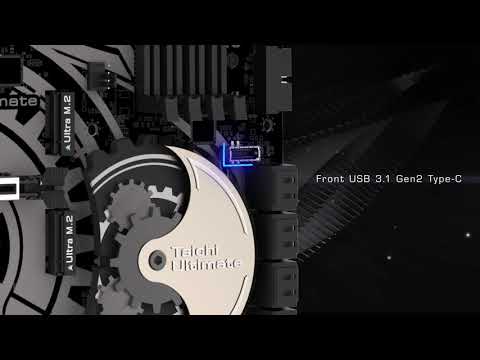
Front USB 3.1 Gen2 Type-C
Front USB 3.1 Gen2 Type-C header delivers up to 10 Gbps data transfer rate and next-generation reversible USB design to the front panel of the computer case.
PCI-E STEEL SLOTS
The advanced PCI-E Steel Slots packed with a solid cover that prevents any signal interference with graphics cards. It also ensures the heavy graphics cards to be well-installed in the PCI-E slots safely.
The ASRock Z390 Taichi Ultimate comes in the standard cardboard package. The front is themed in black and silver which has been part of the Taichi lineup for a while now. You can also note ASRock Gear logo for their Taichi motherboards on the front which looks great.
The front side also lists down support for Intel's 9th generation Core processors. There's also support for Intel Optane memory along with Polychrome Sync, NVIDIA SLI, AMD Crossfire technology (although AMD has abandoned the Crossfire name and uses mGPU instead nowadays) and HDMI support mentioned.

The back side of the package lists down the specifications and special features of the motherboard such as Aquantia 10 Gb/s Base-T Ethernet, 12 Phase Power Design, 2T2R 802.11ac WiFi (Dual-Band) 2.5/5 GHz, Full coverage M.2 heatsink, Triple M.2 slots and other features mentioned.

The front side also comes with a full cover which gives us another preview of the feature set that the motherboard has to offer.

Inside the package is another box which contains the accessories in the top and motherboard at the bottom. It is very easy to access although the accessories are a bit scattered and things could get messy sorting out the various additions.

There are several accessories included in the package such as a Wi-Fi antenna module, four SATA III cables, an I/O cover, screws for the M.2 storage devices, a high-bandwidth SLI bridge, a driver disk, a manual for the board and a Taichi post card. Following is the full list of accessories in the package.
- Quick Installation Guide, Support CD, I/O Shield
- 4 x SATA Data Cables
- 1 x ASRock SLI_HB_Bridge_2S Card
- 1 x ASRock WiFi 2.4/5 GHz Antenna
- 3 x Screws for M.2 Sockets
The motherboard is housed underneath the accessories and has the anti-static wrapping to protect it from any built up electrical resistance that can affect the board.

The ASRock Z390 Taichi Ultimate has a very aggressive design scheme that screams high-end. It doesn't have as much glitter splattered all over like some other boards that focus more on the RGB trend nowadays but it's impressive in its own right, using professional design scheme that looks really well built. Those who have seen previous Taichi motherboards will see a modernized design with several changes.
The ASRock Z390 Taichi Ultimate is styled in black and silver. This is a top-tier product that retails at $300 US so expect lots of features packed inside this motherboard. The motherboard comes in the standard ATX form factor. The Taichi Ultimate theme has been present on the X470 series now for a while and is now coming to the Intel mainstream platform.

The board uses the LGA 1151 socket to support Intel Core processors. The socket is compatible with Intel's 8th & 9th Generation core family. The socket has a protective cover on top of it that points out the exclusivity with Coffee Lake CPUs and refrains users from running an older 6th or 7th generation CPU as they won't work with these motherboards at all.

Next to the socket are four DDR4 DIMM slots which can support up to 64 GB dual channel memory. These slots are rated to support XMP profiles up to 4200 MHz (OC Plus). Each slot is labeled, making it easier to install DIMMs in the proper orientation.
The interesting thing is that Intel has said to allow memory capacity support of up to 128 GB but that would mean that DRAM vendors would have to release dual-capacity memory kits that are compatible with these boards.

The ASRock Z390 Taichi Ultimate packs a 12 phase super alloy power design. The design is packed with 2 phase power for the DRAM and uses Premium 60A power chokes, Premium Memory Alloy Chokes, Dual-Stack MOSFET (DSM), Combo Caps and Nichicon 12K Black caps that deliver un-precedented stability and overclocking capabilities.

As you can see, the VRMs are getting ample cooling from the two metallic heatsinks that are beefy in terms of overall size. This motherboard is designed for overclocking so expect stable operation of the electrical circuitry when this board is running.
If you look in closely, the heatsink solution comes with heatpipe coolig that runs across the entire length of the dual heatsinks. ASRock is also using an aluminum based heatsink under the IO cover which can provide even better thermal operation under load.

The CPU is supplied power through an 8+4 pin power connector configuration. This will feed the CPU with up to 225W of power. Most Intel CPUs will be shipping with TDPs under 100W but that changes when users overclock since that changes the power limit based on applied voltages and clock speed.

Expansion slots include three PCI Express 3.0 x16, two PCI Express 3.0 x1 and three M.2 slots. The board can support three-way multi-GPU (CrossFireX / SLI). The M.2 slots are rated to support NVMe PCIe gen3 x4 and Intel Optane series memory.

ASRock is using a metallic cover on the sides of the expansion slots which provides protection to some extent. It adds more retention and shearing resistance by reinforcing the slots with metal plates. Aside from adding more protection, they do look really sweet.

The PCH is cooled off by a large metallic heatsink which runs next to the SATA ports. The PCH heat sink has embedded RGB LEDs and provide a good light show for those that are interested in RGBs trend. You can also turn off the LEDs entirely through ASRock's bundled software if you are not a fan of such LEDs.

The PCH heatsink is themed to look like the represent the Taichi symbol and features gears that although don't provide any functionality but do give a nice touch the motherboard.

Storage options include eight SATA III ports rated to operate at 6 GB/s. These can support eight different storage devices at once. There's also a right angled USB 3.0 front panel connector. Many fan headers and jumpers can be found beneath the storage ports.

ASRock is using their Purity Sound4 system for audio which is a combination of hardware, software audio solutions. 7.1 CH HD audio with the latest Realtek ALC1220 audio codec, individual PCB layers for R/L audio channel, 120dB SNR DAC. In addition to that, there's also a NE5532 headset amplifier for front panel audio connector that supports up to 600 Ohm headsets.

ASRock has placed two very interesting, gold colored buttons at the bottom right-hand corner of the board. The purpose of these switches is to allow users to easily Power or Reset the board in overclocking and system tuning cases. A bunch of other connectors for chassis power, RGB and fan headers can be spotted next to them. The full list of connectors on the motherboard is listed as follows.
- 1 x TPM Header
- 1 x Power LED and Speaker Header
- 2 x RGB LED Headers
- 1 x Addressable LED Header
- 1 x CPU Fan Connector (4-pin)
- 1 x CPU/Water Pump Fan Connector (4-pin) (Smart Fan Speed Control)
- 6 x Chassis/Water Pump Fan Connectors (4-pin) (Smart Fan Speed Control)
- 1 x 24 pin ATX Power Connector (Hi-Density Power Connector)
- 1 x 8 pin 12V Power Connector (Hi-Density Power Connector)
- 1 x 4 pin 12V Power Connector (Hi-Density Power Connector)
- 1 x Front Panel Audio Connector (15μ Gold Audio Connector)
- 1 x Thunderbolt AIC Connector (5-pin)
- 2 x USB 2.0 Headers (Support 3 USB 2.0 ports) (Intel® Z390) (Supports ESD Protection)
- 2 x USB 3.1 Gen1 Headers (Support 4 USB 3.1 Gen1 ports) (ASMedia ASM1074 hub) (Supports ESD Protection)
- 1 x Front Panel Type C USB 3.1 Gen2 Header (ASMedia ASM1562 Retimer)
- 1 x Performance Mode / Easy OC Header
- 1 x Dr. Debug with LED
- 1 x Power Button with LED
- 1 x Reset Button with LED

ASRock is using the Intel 802.11ac WiFi Module to power wireless connectivity such as 802.11ac WiFi (2.4G / 5G WiFi) and Bluetooth 5.0. In terms of Ethernet, there are dual Intel Gigabit Ethernet LAN ports and a 10 Gigabit Aquantia LAN port which means networking on this board is going to be really impressive.
Finally, we have the I/O panel which includes the Wi-Fi 802.11 a/b/g/n/ac module, PS/2 port, HDMI, Display Port, Dual Intel Gigabit Ethernet LAN ports, a single 10 Gigabit Ethernet LAN port, 4 USB 3.1 Gen 1 ports, four USB 3.1 Gen 2 ports (Type-A + Type-C), a clear CMOS button and a 7.1 channel audio jack.

ASRock Z390 Taichi Ultimate Polychrome RGB:
ASRock is using their Polychrome RGB and Polychrome Sync technologies to power the lighting system on the Z390 Taichi Ultimate. There's a range of customization available through the app which can be downloaded directly from ASRock's official webpage.

In addition to the built-in RGB illumination, it also features onboard RGB headers and an addressable RGB header that allow the motherboard to be connected to compatible LED devices such as strip, CPU fans, coolers, chassis and so on. Users may also synchronize RGB LED devices across the Polychrome RGB Sync-certified accessories to create their own unique lighting effects.


For testing, we used the latest Intel Core i9-9900K which was sent to us by Intel. The Intel 9th Gen Coffee Lake Refresh family comes with a higher core count on the mainstream platform but prices are close to the predecessors in the same segment. The Core i9 SKU wasn't available last time but the Core i7 price matches around the same as what you paid for the Core i7-8700K. The CPUs was tested on the ASRock Z390 Taichi Ultimate in this review.
Intel Core i9-9900K and ASRock Z390 Taichi Ultimate Test Bed:
| Processor | Intel Core i9-9900K |
|---|---|
| Motherboard | ASRock Z390 Taichi Ultimate |
| Power Supply | Corsair AX1200i PSU |
| Solid State Drive | Samsung SSD 960 EVO M.2 (512 GB) |
| Memory | G.SKILL Trident Z RGB Series 32 GB (4 x 8GB) CL16 3600 MHz |
| Video Cards | MSI GeForce GTX 1080 Ti Lightning X |
| Cooling Solutions | Corsair H115i GTX |
| OS | Windows 10 64-bit |

Our test rig includes the Samsung 960 EVO 500 GB SSD that boots up our main OS while a 2 TB Seagate HDD is used for demonstration purposes for the Intel Optane memory. In addition to these, we are running an MSI GeForce GTX 1080 Ti Lightning X graphics card, a Corsair AX 1200i power supply and 32 GB of G.Skill provided Trident Z RGB series memory which runs with a clock speed of DDR4-3600 MHz. For cooling, we used the Corsair H115i PRO cooler.
We won't be focusing on 9th Gen core architecture in this review since it is entirely the same chip as Skylake along with minor improvements. The Skylake / Kaby Lake architecture analysis can be seen in detail here. For overclocking, I made the following tweaks to the CPUs:
- Intel Core i9-9900KK @ 5.3 GHz With 1.367V (100 x 53)
3DMark Time Spy CPU Performance
3DMark Firestrike is the widely popular video card benchmark test for Windows that is designed to measure your PC’s gaming performance. While the overall benchmark is great, the utility also provides a good indication of the CPU performance.

3DMark Firestrike CPU Performance
3DMark Firestrike is the widely popular video card benchmark test for Windows that is designed to measure your PC’s gaming performance. While the overall benchmark is great, the utility also provides a good indication of the CPU performance.

Blender
Blender is the free and open source 3D creation suite. It supports the entirety of the 3D pipeline—modeling, rigging, animation, simulation, rendering, compositing and motion tracking, even video editing and game creation.

Cinebench R15
CINEBENCH is a real-world cross platform test suite that evaluates your computer’s performance capabilities. CINEBENCH is based on MAXON’s award-winning animation software CINEMA 4D, which is used extensively by studios and production houses worldwide for 3D content creation. MAXON software has been used in blockbuster movies such as Iron Man 3, Oblivion, Life of Pi or Prometheus and many more.

HandBrake
HandBrake is a tool for converting video from nearly any format to a selection of modern, widely supported codecs.

PCMark 10
PCMark 10 is a complete PC benchmarking solution for Windows 10. It includes several tests that combine individual workloads covering storage, computation, image and video manipulation, web browsing and gaming. Specifically designed for the full range of PC hardware from netbooks and tablets to notebooks and desktops, PCMark 10 offers complete Windows PC performance testing for home and business use.

POV-Ray
The POV-Ray package includes detailed instructions on using the ray-tracer and creating scenes. Many stunning scenes are included with POV-Ray so you can start creating images immediately when you get the package.

SuperPI
Super PI is used by many overclockers to test the performance and stability of their computers. In the overclocking community, the standard program provides a benchmark for enthusiasts to compare “world record” pi calculation times and demonstrate their overclocking abilities. The program can also be used to test the stability of a certain overclock speed.

WinRAR
WinRAR is a powerful archive manager. It can backup your data and reduce the size of email attachments, decompresses RAR, ZIP and other files downloaded from the Internet and create new archives in RAR and ZIP file format.

X264 HD Encode Benchmark
This benchmark measures the encoding performance of the processor. It offers a standardized benchmark for the clip as well as the encoder used is uniform.

Ashes of The Singularity
Stardock's Ashes of the Singularity RTS title is a new take on the historical genre. The game incorporates several things that many pc gamers have been curious about and anxious to try for themselves such as Explicit Multi-Adapter Support and full Asynchronous Compute under DirectX 12 API. We tested the game at 1440P with 4x MSAA on Crazy Settings under DirectX 12.

Battlefield 1
Battlefield 1 is the kind of game that doesn’t need any real introduction. The latest installment of the Battlefield series is as beautiful as anyone would expect and comes right out of the gate with full DX11 and DX12. EA and DICE did a fantastic job with their AAA WW1 shooter this time by implementing some key gaming technologies. We tested the game at 1440P using Ultra settings and DirectX 11 API.

DOOM
In 2016, Id finally released Doom. My testing wouldn’t be complete without including this title. It's a hell fest featuring fast-paced FPS action and tons of demons to kill. The latest title is based on both Vulkan and OpenGL APIs that take advantage of the latest multi-core and multi-GPU upgrades.

GTA V
GTA V is one handsomely optimized title for the PC audience. It's scalable across various PC configurations and delivers an impressive frame rate. Rockstar did an amazing job with the PC build of GTA V and it comes with a large array of settings that can be configured by PC gamers. We tested the title at 1440P with everything set to Ultra and 4x MSAA.

Mass Effect Andromeda
Being a huge fan of the Mass Effect series, I was highly anticipating the arrival of Andromeda to store shelves. Now that it’s here, I put the fastest gaming card to the test. Using Frostbite, the latest Mass Effect title looks incredibly gorgeous and the open world settings on the different planets immerses you a lot.

The Rise of the Tomb Raider
The latest Rise of the Tomb Raider title gets lots of graphical enhancements added by Crystal Dynamics and Nixxes, including hardware tessellation, increased anisotropic filtering, additional dynamic foliage, increased LOD, additional PureHair strands, sun soft shadows, and improved bokeh DOF. We tested the game at 1440P under DirectX 12 API.

Sid Meir's Civilization VI
Civilization VI is the pinnacle of the series. It's featured huge, sweeping changes, and nothing was left out. Everything has found a purpose, they all work together in tandem but also have a reason to stand alone. It uses a more fleshed out engine that now supports DirectX 12 capabilities. We tested the game with every setting maxed out (4x MSAA, 4096x4096 shadow textures) at 1440P in DirectX 12.

Watch Dogs 2
Watch Dogs 2 once again takes us on a hacking tour, but this time in the city of San Francisco. Using a very evolved version of the OPUS engine the developers should have a better grasp of things this go around than they did with Watch Dogs. The new engine incorporates several NVIDIA Gameworks technologies and is seen as one of the most graphics intensive titles to launch this year. We tested the game on a mix of Ultra and high settings at 1440P (Temporal Filtering Disabled).

The Coffee Lake architecture is meant to improve overall system power consumption and add to the efficiency. In the case of the 8th Gen CPUs, we are looking at refined 14nm++ process which allows Intel to gain improved clock speeds and increase the number of cores within the same power envelope.

With the frequency bump, the new chips do end up with higher power consumption both in idle and load states. The Intel Core i9-9900K when overclocked, breaches the 400W barrier. Even the stock operation is higher than the previous generation flagship which tells that this part has may not be aiming the higher efficiency point as the previous generation parts.
The Intel Coffee Lake processors feature higher clock speeds and more cores, this means that the temperatures can directly be affected by the updated design. In terms of packaging, the processor's ship with STIM or Soldered Thermal Interface Material.
In short, Intel has gone back to the soldered design with higher quality thermal interface material between the die and IHS so that should technically lead to better temperatures under overclocking and stress situations. The results were carried out with the Corsair H115i PRO liquid cooler:

The Intel Core i9-9900K is the flagship chip of the 9th Generation family and it is the one that users will be the most excited about. The competition has finally prompted Intel to reach core parity with their flagship parts and the result is Intel's own 8 core and 16 thread CPU, running up to 5.0 GHz at boost frequencies.
Intel Core i9-9900K - A Great CPU With Not So Great Pricing
In terms of performance, Intel's claimed that this is the best gaming processors and we fully agree with them. It provides blistering fast gaming performance and now we can see that Intel definitely has the IPC and clock speed advantage, even with an 8 core, 16 threaded part. This provides an ample amount of gaming, streaming and multi-threading performance which mainstream users have been asking for so long.
But there's more than performance when it comes to testing a processor. Intel might have claimed the performance throne but there are other issues with the Core i9-9900K. Starting off with the price, the processor has been claimed to have a retail price of $488 US but after looking closely at the slides provided by Intel, those are 1K unit prices. The actual consumer would have to pay more than that. As of right now, the Intel Core i9-9900K is listed for $579.99 US on Newegg and $529.99 US on Amazon. The AMD Ryzen 7 2700 which is also an 8 core, 16 thread CPU retails for less than half the cost of the Core i9-9900K. Even the faster Ryzen 7 2700X has a retail price closing in at half of that for the 9900K.
Intel does have the performance advantage but considering that a person building a PC around the 9900K would be gaming at no less than 1440p or 2160p, where the applications (games) are more GPU bound than CPU, the pricing doesn't look great at all. Moving on, in multi-threading workloads, Intel is now crushing the competition since their cores run faster but if you want a higher core count chip, a Ryzen Threadripper 1920X with double the cores and thread now retails at less than the asking price of the Core i9-9900K. The platform price is definitely higher on the X399 side compared to Z390 but then again, the option exists for users who are looking for more core crunching power.
Now the overclocking is really great on the Core i9-9900K. The AMD Ryzen 2000 series is hard to get up to 4.3-4.4 GHz but Intel's 8 core and 16 thread CPU can overclock up to 5.3 GHz across all cores. That's a stunning overclock for such a chip and if you are lucky to find a binned chip and add a custom loop, you'd be able to go beyond that.
You'd need a better board though like the Z390 Taichi Ultimate I used here with the suitable amount of power delivery for overclocking. The problem here is that the architecture and process are still the same as the 8th Gen and power consumption rises a lot when overclocked. In terms of cooling, the STIM package really helps but not as much as we hoped for. Furthermore, the overclocking community would face a slightly harder job delidding the chips so you gain some but lose some abilities with STIM.
I think that the Core i9-9900K is definitely one of the best gaming processors on the market and the 8 cores mean that just like Intel's previous best CPU, the Core i7-8700K, you get more cores, faster multi-threading performance and a great feature set on the new Z390 platform that offers users a lot of expandability on their new gaming PCs. The only main concern right now is the price which isn't what Intel promised to consumers and you are literally paying HEDT price for a mainstream CPU.

ASRock Z390 Taichi Ultimate - Ultimate As It Should Be
The ASRock Z390 Taichi Ultimate is a powerhouse, hitting that flagship $299.99 US pricing. It's the same price as the X470 Taichi Ultimate but we see a few design aesthetics changes along with new features on the Z390 offering.
It’s 12 Phase power delivery is the most stable system and remains consistent in overall stability and overclocking tests. The ASRock Z390 Taichi series is built for high-tier memory support and DDR4-4200 is just a fraction of what’s possible. I was able to booth up the Trident Z RGB memory kit fine at it's rated speed of 3600 MHz (CL18) but given that there are higher clocked memory kits out in the market, they won't be an issue for this motherboard at all.

The whole feature set for this motherboard such as Realtek ALC1220 audio codec, a ton of USB 3.1 (Gen 1 / Gen 2) ports, dual M.2 ports and one with an M.2 heatsink is all a user would ever want. In terms of storage, you’d find 8 SATA III ports which are good enough for enthusiasts in addition to the PCIe based storage connectivity. The wireless dongle on the motherboard provides good WiFi coverage over a large distance while the AQUANTIA 10G LAN on the Taichi Ultimate makes for a killer combination on this high-end motherboard.
The ASRock Z390 Taichi Ultimate is the king of ASRock’s Z390chipset lineup and as a king, it does cost a bit more but provides the full feature set that would make any 8th or 9th Generation CPU run stable and OC even better than the other Z390 offerings. With a range of features and wide expandability options, this is one of the best Z390 boards that you can get right now, especially if you are going for an 8 core Intel processor.


Contents


About the author: A Software Engineer by training and a PC enthusiast by passion, Hassan Mujtaba serves as Wccftech's Senior Editor for hardware section. With years of experience in the industry, he specializes in deep-dive technical analysis of next-generation CPU and GPU architectures, motherboards, and cooling solutions. His work involves not only breaking news on upcoming technologies but also extensive hands-on reviews and benchmarking.
Follow Wccftech on Google to get more of our news coverage in your feeds.


