
Remnant II is doing very well for itself. Just yesterday, Gunfire Games and Gearbox Publishing announced that the Soulslike third-person shooter game already sold over a million units, with PC registering over double the first game's concurrent player peak on Steam.
However, one of its downsides on PC is that performance could be better for the level of visuals on display, considering the game does not support ray tracing or Unreal Engine 5's Lumen. Even high-end configurations can sometimes struggle, and the recent addition of NVIDIA DLSS 3 didn't prove as helpful as I had hoped since there are some current issues with the implementation in Remnant II.
Thankfully, the game's popularity has translated into a very active modding community, and some enterprising folks have figured out how to disable specific effects to improve performance. Usually, with Unreal Engine 4 games, it would be a relatively simple matter of tweaking the .ini files. However, Unreal Engine 5 titles are a different beast.
Nexus Mods user yakuzadeso had to create the so-called Remnant II Graphics Editor Tool, a program that allows you to generate mod files that entirely disable the following settings:
- Anti Aliasing
- TAA Upsampling
- Depth of Field
- Lens Flare
- Chromatic Aberration
- Film Grain
- Vignette
- Bloom
- Ambient Occlusion
- Distance Field Ambient Occlusion
- Distance Field Shadowing
- Virtual Shadow Maps
- SSGI
- Volumetric Fog
- Fog
- Global Sway
Moreover, there are sliders for the following graphics settings:
- Shadow Quality
- Shadow Max Resolution
- Shadow CSM Max Cascades
- Shadow MAX CSM Resolution
- Foliage Density Scale
- Grass Density Scale
- View Distance Scale
- Skeletal Mesh LODBias
- Streaming Boost
- Max Anisotropy
- Streaming Pool
- Sharpening
Of course, toning down or even disabling some of these effects may negatively affect visuals. One of the largest performance gains can be attained by disabling SSGI (Screen Space Global Illumination). Nexus Mods user Riadon posted the following comparison, showing that the visual difference is minimal while the frame rate can improve by up to 30-40% on a GeForce RTX 4090 when rendering the game at native 4K resolution.
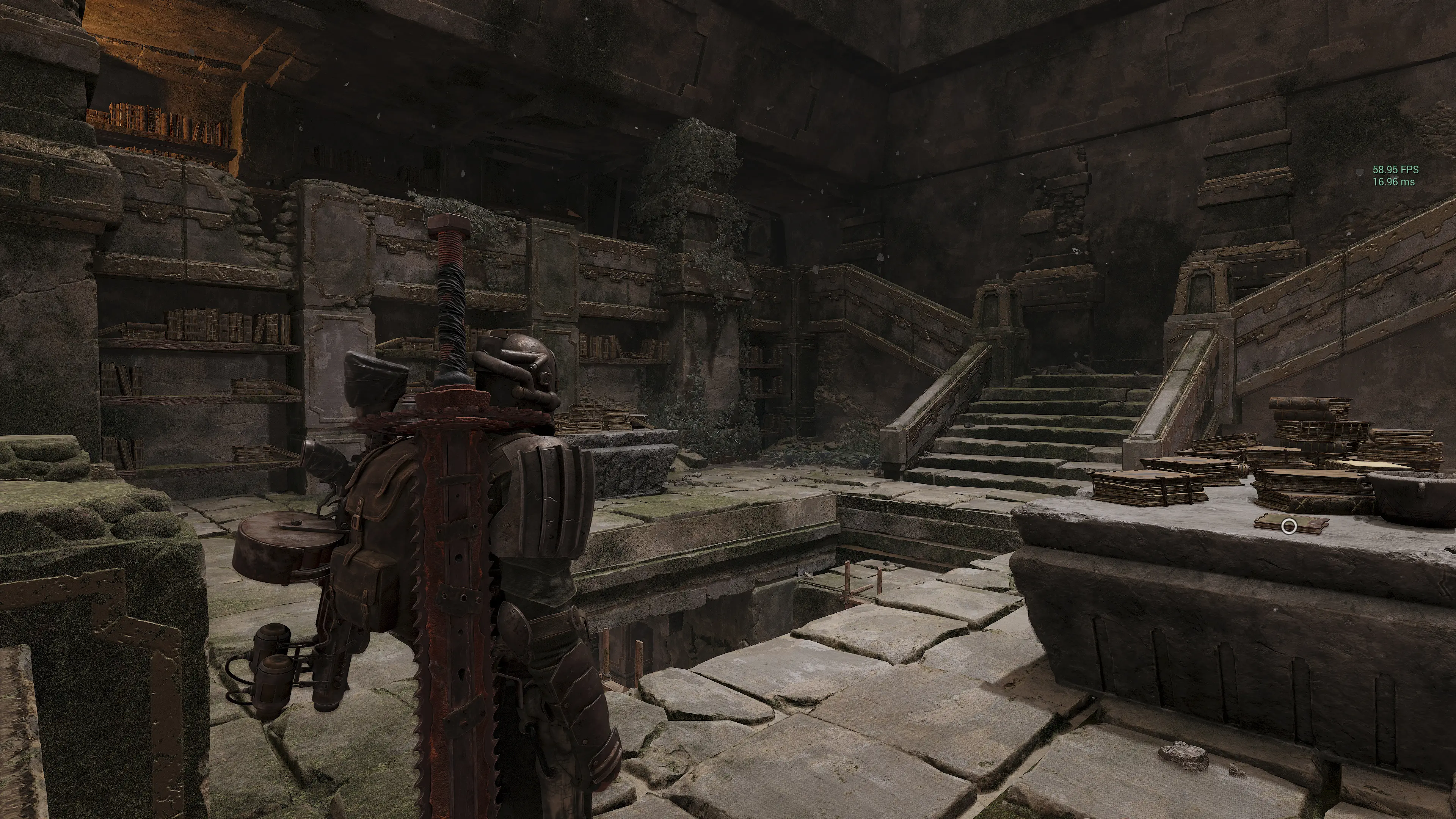
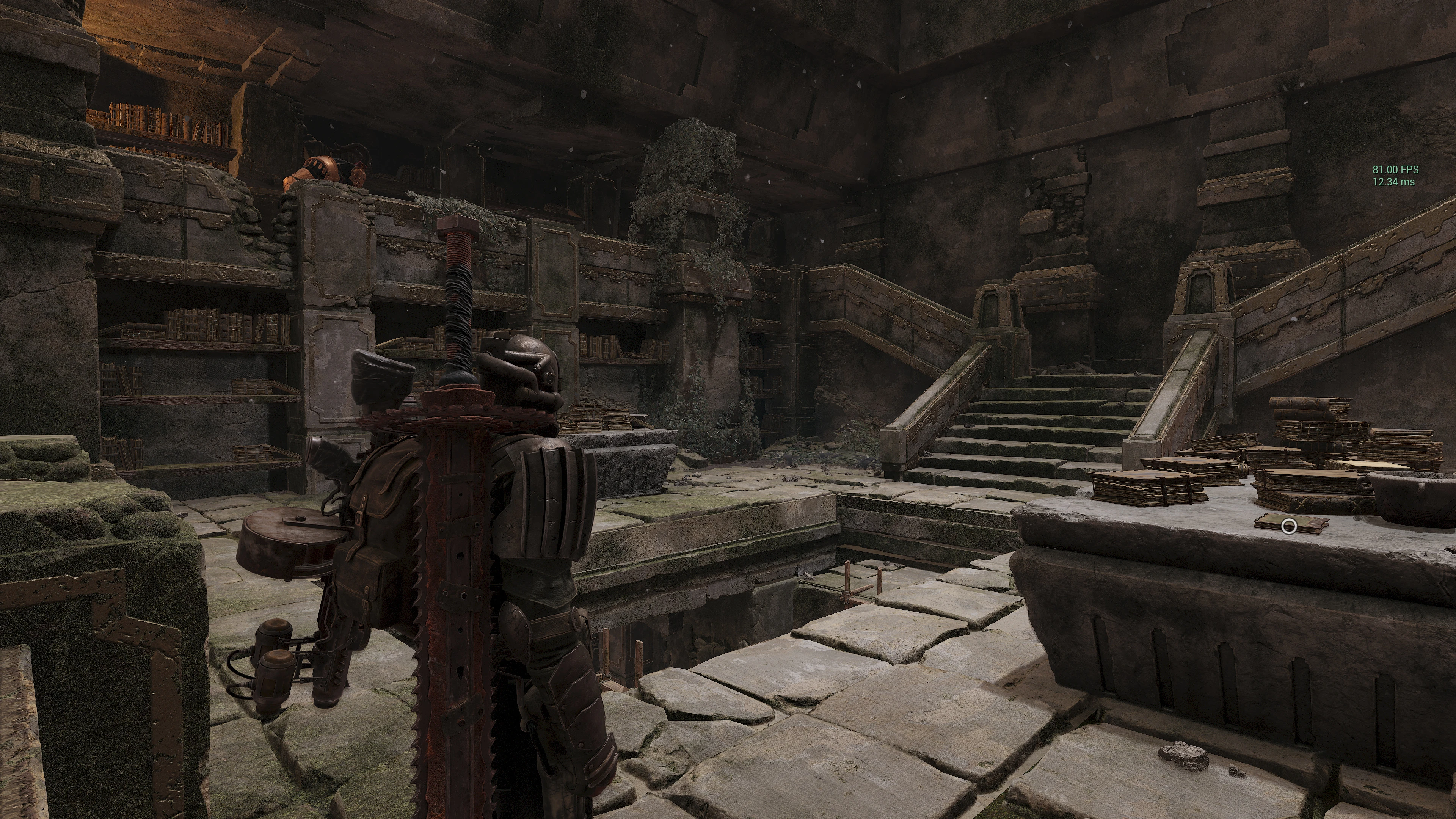
To make the Remnant II Graphics Editor Tool work, you'll have to press 'Generate Mod' once you've settled on your settings, then grab the newly created zCustomGraphics_P.pak file and move it to the Remnant2\Content\Paks\~mods folder. Additionally, to enable any mods in this game, first ensure you've installed Narknon's Allows Asset Mods.
Ideally, Gunfire Games will improve Remnant II's performance in the foreseeable future. However, this is a solid workaround for the time being. Let us know in the comments if you decide to use it.

About the author: With over two decades of experience in gaming journalism, Alessio Palumbo has led the gaming vertical at Wccftech since August 2015. He started working at a young age for Italian websites like Everyeye.it, Gamestar.it, Nextgame.it, and Multiplayer.it before kickstarting the indie English-language publication Worlds Factory as its founder and Editor in Chief. In the last decade, he has coordinated the overall output of Wccftech's gaming section, managed PR relations, assigned reviews, produced daily news coverage, edited gaming content as needed, and delivered game reviews. Arguably, his trademark content is the long series of exclusive developer interviews that have been cited by Wikipedia and by the biggest news media and gaming publications. His passion for technology also makes him knowledgeable when it comes to gaming hardware and tech. His favorite genres include RPGs, MMORPGs, and action/adventure games.
Follow Wccftech on Google to get more of our news coverage in your feeds.


