
Following the character improvement texture mod, here's another Final Fantasy VII Rebirth mod that improves the game's visuals. This time, the so-called Natural Fantasy mod is focused on improving the environmental textures via 2x upscaling, specifically these textures (around 1300 of them):
- Trees
- Cliffs
- Rocks
- Stones
- Ground
- Grass
- Flowers
- Puddles
The improvements are rather noticeable in the provided comparison pictures.

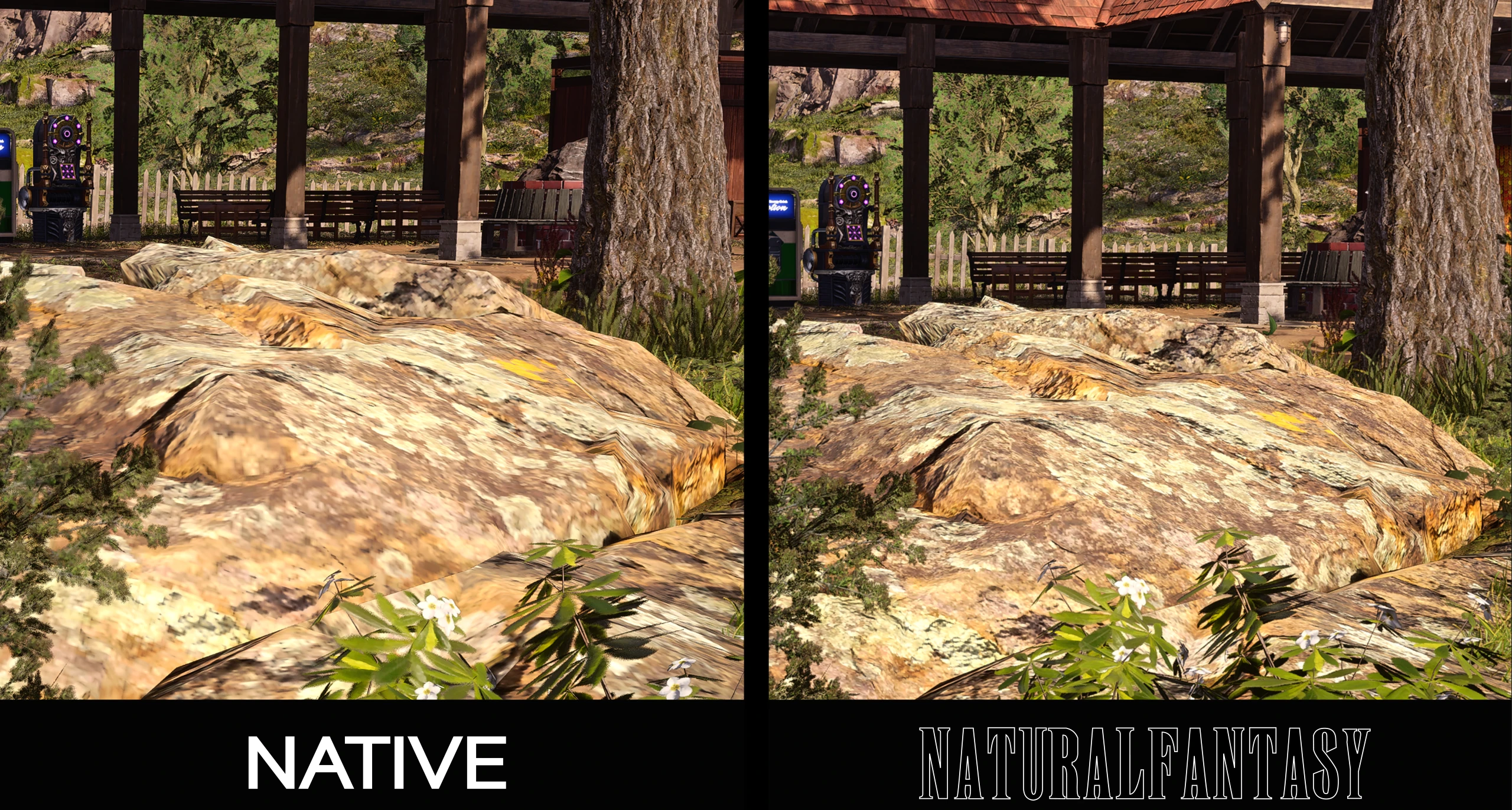
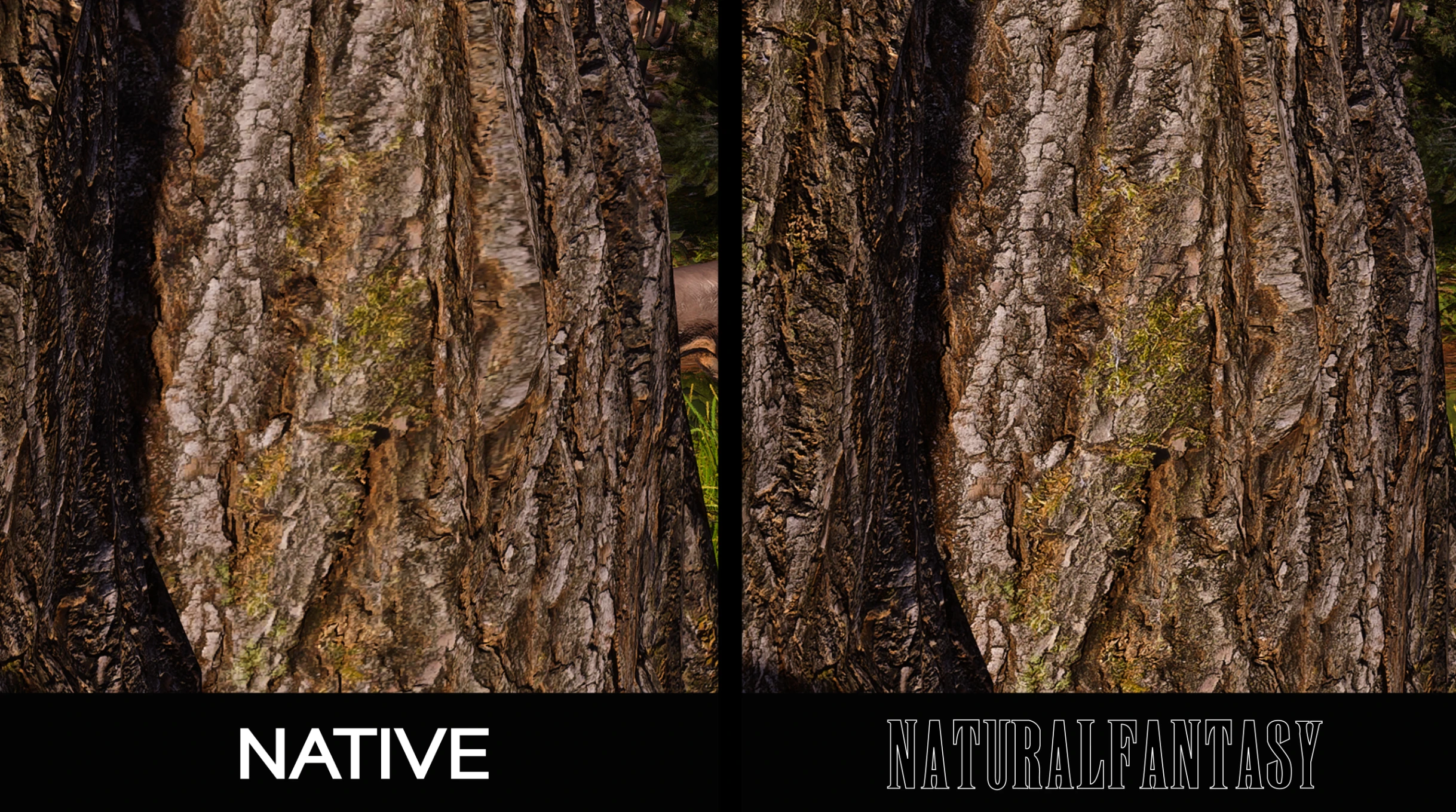
The author reported between 5% and 20% performance hit, depending on the graphics card. However, they recommend the mod only to players with 8GB+ VRAM graphics cards and NVME SSDs. Moreover, they warn that sometimes the game's texture streaming issues may well prevent the sharper textures from correctly appearing. The following tweaks to the Engine.ini file were provided to mitigate the issue:
r.Streaming.PoolSize=20000 (Adjust to 80% Your VRAM)
r.Streaming.LimitPoolSizeToVRAM=0
r.Streaming.UseFixedPoolSize=0
r.Streaming.PrioritizeMeshLODRetention=1
r.Streaming.SkeletalMeshResidentLODBias=-1
r.Streaming.StaticMeshResidentLODBias=-1
r.Streaming.TextureResidentLODBias=-1
r.Streaming.UseAllMips=1
r.Streaming.UseMaterialData=1
r.Streaming.MaxTempMemoryAllowed=10000
r.Streaming.PoolSizeForMeshes=5000
Final Fantasy VII Rebirth launched a few days ago on PC. So far, Steam user reviews are 'Mostly Positive' at 75% on average. The game has improved graphics features (better character models and lighting) over the PlayStation 5 version, though it lacks some common PC-specific features. For example, while it does support NVIDIA DLSS and DLAA, there's no native support for AMD FidelityFX Super Resolution or Intel XeSS.
Moreover, there's no frame generation, and the maximum frame rate is capped at 120 by default. However, there are workarounds for that, too. You can either use Final Fantasy VII Rebirth Fix, which also lets you tweak the field of view (FoV), disable vignette, and adjust the size of subtitles, or FFVIIHook, which is an INI and dev console unlocked that lets the game read variables as with a regular Unreal Engine 4 title, allowing for greater tweaking.
If you're still on the fence about Final Fantasy VII Rebirth, make sure to read our perfect score review of the PlayStation 5 version.

About the author: With over two decades of experience in gaming journalism, Alessio Palumbo has led the gaming vertical at Wccftech since August 2015. He started working at a young age for Italian websites like Everyeye.it, Gamestar.it, Nextgame.it, and Multiplayer.it before kickstarting the indie English-language publication Worlds Factory as its founder and Editor in Chief. In the last decade, he has coordinated the overall output of Wccftech's gaming section, managed PR relations, assigned reviews, produced daily news coverage, edited gaming content as needed, and delivered game reviews. Arguably, his trademark content is the long series of exclusive developer interviews that have been cited by Wikipedia and by the biggest news media and gaming publications. His passion for technology also makes him knowledgeable when it comes to gaming hardware and tech. His favorite genres include RPGs, MMORPGs, and action/adventure games.
Follow Wccftech on Google to get more of our news coverage in your feeds.


